From Spec-Driven Development to Feature Plan Development
Spec-driven development felt like overkill. Vibe coding felt like chaos. Feature plan development is the middle ground I've open-sourced.

Sean Grove's AI Engineer talk about model specs sent me down a rabbit hole.
I started exploring spec-driven development. Looked at Brian Casel's Agent OS, tried BMAD. Good tools, but they didn't click with how I've actually worked.
In my experience from 24 years of contracting experience, I work on tasks. Tasks relate to features. Features relate to epics. That's the rhythm.
So I started building what I couldn't find. Spent time with James Guest structuring a spec-driven tool. Early mornings, late nights, weekends.
The Pivot Moment
About six weeks into the development I read Birgitta Böckeler's ThoughtWorks article.
"Spec-driven development is like using a sledgehammer to crack a nut."
Ouch. But also... true?
So I stepped back and did some honest reviews with Claude. We realised something uncomfortable: I wasn't even using the requirements functionality, but we were building a full-blown Spec-Driven Development tool. I was just using the task-create/task-work/task-complete slash commands.
The Reality of Day-to-Day Development
Part of the reason for this was that I was working solo, but even within teams, we often work with minimal specs due to time or resource pressures. We might also be working on a brownfield project, adding features and fixing bugs, with specs created long ago that are now out of date.
I've found that quite often the specs are minimal, and we infer what needs to be done in informal conversations.
The Split - GuardKit vs RequireKit
So I split the tool.
GuardKit for guardrails and quality gates.
RequireKit for when you actually need proper requirements.
Both tools work standalone, or optionally, you can use them together.
| GuardKit | RequireKit |
|---|---|
| Guardrails & quality gates | Requirements gathering |
| Task workflow commands | EARS notation support |
| Feature Plan command | Epic and Feature spec support |
| Always needed | When the work demands it |
| "How we build" | "What we build" |
I've always liked tools and frameworks that let you use the bits you want to, rather than force you to adopt an all-or-nothing approach.
What GuardKit Does
In short:
- Guardrails for AI output - stop the slop
- Enables parallel task development - the real productivity unlock
- Analyses your codebase - generates CLAUDE.md, rules, templates and sub-agent definitions
The rest of this post digs into how these pieces fit together.
The Feature Plan Workflow
I kept finding myself putting Claude into plan mode, creating tasks from that plan, then reviewing with Opus. I had already built commands for creating tasks, so I added a command for task review to replace the prompts I kept copying and pasting.
The task-review command is used for analysis and has a number of modes:
architectural: SOLID/DRY/YAGNI compliance review
code-quality: Maintainability and complexity assessment
decision: Technical decision analysis with options evaluation
security: Security audit and vulnerability assessment
The review mode will determine the choice of primary and secondary agents, and the recommendations will be generated from the aggregate findings of these agents.
The feature-plan command evolved from a workflow I found I had fallen into quite often, whereby I used the task-create command to create a review task and then used the task-review command, the output of which would be:
[A]ccept  - Approve findings, save for reference
[R]evise  - Request deeper analysis on specific areas
[I]mplement - Create implementation tasks
[C]ancel  - Discard this review
Once we are happy with the review analysis, we can create implementation tasks.
I found I was then generating a README with context and acceptance criteria, and an Implementation Guide, so I created the feature-plan command, which aggregates the task-create and task-review commands internally.
The plan details the inter-dependencies between tasks and breaks the work into waves, identifying those which can be implemented in parallel. It also specifies whether to use the task-work command or to ask Claude to execute the task directly.
The feature-plan command uses this workflow to generate the tasks and documentation in a subfolder within the backlog. Additionally, a series of clarifying questions will be asked to improve the context.
So GuardKit treats features as a unit of planning and tasks as the unit of execution.
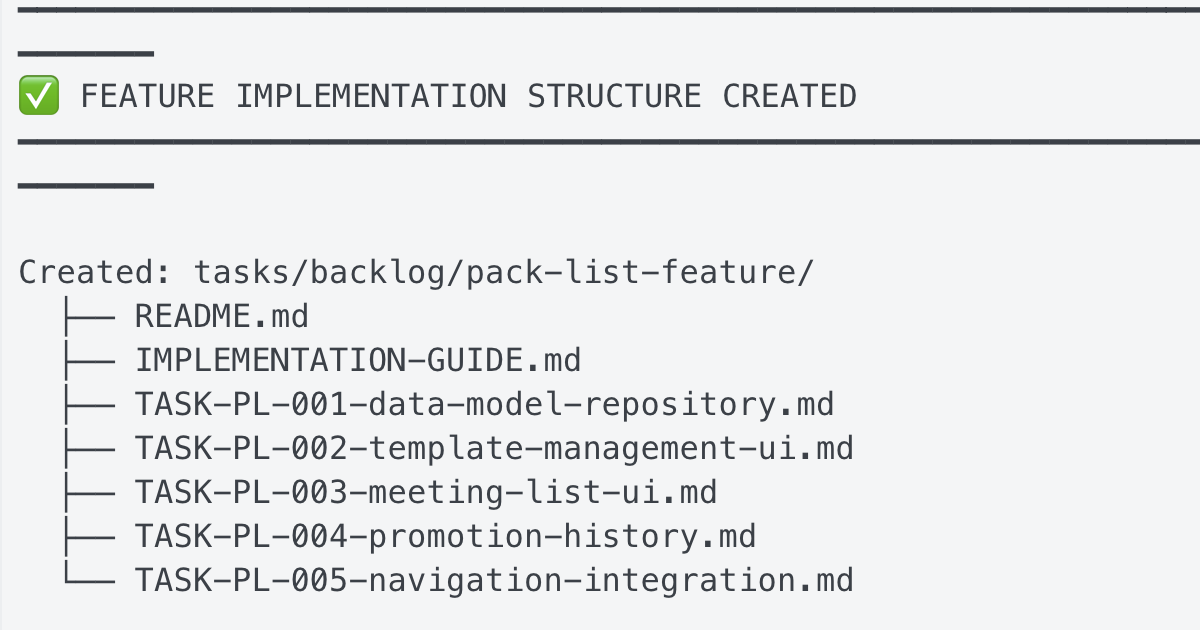
Example feature-plan summary
━━━━━━━━━━━━━━━━━━━━━━━━━━━━━━━━━━━━━━━━━━━━━━━━━━━━━━━━━━━━━━━━━━━━━━━━━━━━━━━━
✅ FEATURE IMPLEMENTATION STRUCTURE CREATED
━━━━━━━━━━━━━━━━━━━━━━━━━━━━━━━━━━━━━━━━━━━━━━━━━━━━━━━━━━━━━━━━━━━━━━━━━━━━━━━━

Created: tasks/backlog/pack-list-feature/
  ├── README.md
  ├── IMPLEMENTATION-GUIDE.md
  ├── TASK-PL-001-data-model-repository.md
  ├── TASK-PL-002-template-management-ui.md
  ├── TASK-PL-003-meeting-list-ui.md
  ├── TASK-PL-004-promotion-history.md
  └── TASK-PL-005-navigation-integration.md

━━━━━━━━━━━━━━━━━━━━━━━━━━━━━━━━━━━━━━━━━━━━━━━━━━━━━━━━━━━━━━━━━━━━━━━━━━━━━━━━
📋 EXECUTION STRATEGY
━━━━━━━━━━━━━━━━━━━━━━━━━━━━━━━━━━━━━━━━━━━━━━━━━━━━━━━━━━━━━━━━━━━━━━━━━━━━━━━━

Wave 1: Foundation (Sequential)
  └── TASK-PL-001: Data model & repository layer (3-4 hrs)
      Mode: task-work | Testing: TDD

Wave 2: UI Components (Parallel)
  ├── TASK-PL-002: Template management UI (3-4 hrs)
  │   Workspace: pack-list-wave2-templates
  │   Mode: task-work | Testing: TDD
  │
  └── TASK-PL-003: Meeting pack list UI (3-4 hrs)
      Workspace: pack-list-wave2-lists
      Mode: task-work | Testing: TDD

Wave 3: Features & Integration (Parallel)
  ├── TASK-PL-004: Item promotion & history (2-3 hrs)
  │   Workspace: pack-list-wave3-features
  │   Mode: task-work | Testing: TDD
  │
  └── TASK-PL-005: Navigation & integration (1-2 hrs)
      Workspace: pack-list-wave3-nav
      Mode: direct | Testing: TDD

━━━━━━━━━━━━━━━━━━━━━━━━━━━━━━━━━━━━━━━━━━━━━━━━━━━━━━━━━━━━━━━━━━━━━━━━━━━━━━━━
📊 SUMMARY
━━━━━━━━━━━━━━━━━━━━━━━━━━━━━━━━━━━━━━━━━━━━━━━━━━━━━━━━━━━━━━━━━━━━━━━━━━━━━━━━

Approach: Hybrid Copy-on-Create with Template References
Total Effort: 12-17 hours
Subtasks: 5
Testing: Full TDD (test-first)

Review Task: TASK-REV-47E0 (completed)

━━━━━━━━━━━━━━━━━━━━━━━━━━━━━━━━━━━━━━━━━━━━━━━━━━━━━━━━━━━━━━━━━━━━━━━━━━━━━━━━
🚀 NEXT STEPS
━━━━━━━━━━━━━━━━━━━━━━━━━━━━━━━━━━━━━━━━━━━━━━━━━━━━━━━━━━━━━━━━━━━━━━━━━━━━━━━━

1. Review the implementation guide:
   tasks/backlog/pack-list-feature/IMPLEMENTATION-GUIDE.md

2. Start Wave 1 (foundation must complete first):
   /task-work TASK-PL-001

3. After Wave 1, run Wave 2 in parallel with Conductor

4. After Wave 2, run Wave 3 in parallel with Conductor
The Task Workflow Commands
/task-create   - Creates a task from a plan
/task-work     - Works on the task with quality gates
/task-complete - Completes with automatic test execution
The GuardKit Workflow
The full task-work workflow includes several phases, some added as we discovered gaps along the way:
Phase 1.6: Clarifying Questions (complexity-gated)

Phase 2: Implementation Planning (Markdown format)

Phase 2.5: Architectural Review (SOLID/DRY/YAGNI scoring)

Phase 2.7: Complexity Evaluation (0-10 scale)

Phase 2.8: Human Checkpoint (if complexity ≥7 or review required)

Phase 3: Implementation (using approriate subagents)

Phase 4: Testing (compilation + coverage)

Phase 4.5: Test Enforcement Loop (auto-fix up to 3 attempts)

Phase 5: Code Review

Phase 5.5: Plan Audit (scope creep detection)
Note that the crazy phase numbering reflects the evolutionary discovery of these as we experimented with ideas.
The Parallel Development Unlock
All of these quality gates add overhead to each task - so what's the point? The real unlock came from combining this with parallel execution.
Working on 2, 3, and 4 things simultaneously in Conductor. That's the "aha" moment. That's where the productivity gains actually lie, provided the tasks' output is of good quality. That's the challenge I've been trying to work out how to meet.
Adding the various quality gates to the task implementation workflow slows things down, so it doesn't really make sense to use the Claude Code CLI in a pseudo-pair-programmer mode. Still, now that we can implement these tasks in parallel, the time per task matters less, since we can work on something else, such as researching the next feature, instead of sitting and waiting for Claude Code.
There are limits to how much work we can parallelise in terms of cognitive ability and being able to handle bottlenecks in 'feeding the machine' work, and then the other side in testing, verifying and fixing the work output. So it's still hard to say how much we could gain in terms of outright productivity.
So I can see the potential gains, but am still unclear how close we really are to realising them, and even then, do bottlenecks elsewhere slow down the overall delivery of the business value?
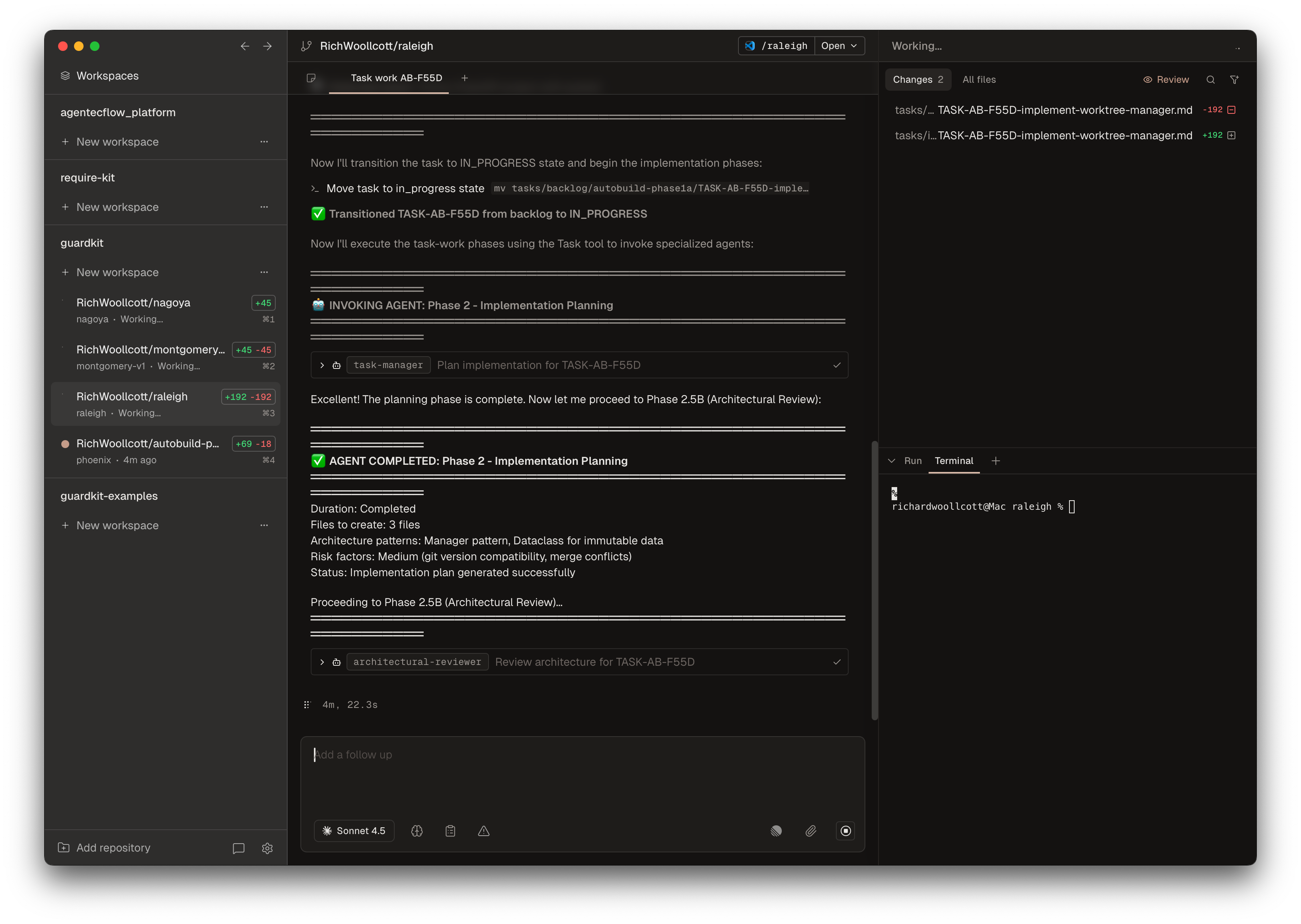
An example screenshot is shown below, showing four tasks being implemented in parallel:
Codebase Analysis and Templates
GuardKit templates are self-contained packages that provide stack-specific guidance, agents, and configuration for AI-assisted development. The system uses progressive disclosure to optimise context window usage while maintaining comprehensive documentation.
template-name/
├── CLAUDE.md              # Primary AI guidance document
├── manifest.json          # Template metadata and discovery
├── settings.json          # Code style and generation settings
├── README.md              # Human-readable documentation
├── agents/                # Stack-specific AI specialists
│   ├── {agent}.md         # Core agent (always loaded)
│   └── {agent}-ext.md     # Extended reference (on-demand)
├── docs/                  # Extended documentation
│   ├── patterns/          # Design patterns (on-demand)
│   └── reference/         # Reference material (on-demand)
└── templates/             # Code templates (optional)
The first step to using GuardKit is to initialise it with a template. This would typically be from using one of the five built-in templates or by analysing your codebase with the template-create command, which generates a template with stubs for the identified subagents. Next, run the agent-enhance command for each of these agents to generate a complete definition, including a core and extended file, for progressive disclosure.
GuardKit includes five high-quality templates for learning and evaluation:
Stack-Specific Reference Templates
| Template | Stack | Description |
|---|---|---|
| react-typescript | Frontend | From Bulletproof React (28.5k stars) |
| fastapi-python | Backend API | From FastAPI Best Practices (12k+ stars) |
| nextjs-fullstack | Full-stack | Next.js App Router + production patterns |
Specialized Templates
| Template | Stack | Description |
|---|---|---|
| react-fastapi-monorepo | Full-stack | React + FastAPI monorepo |
Language-Agnostic Template
| Template | Languages | Description |
|---|---|---|
| default | Go, Rust, Ruby, Elixir, PHP, etc. | Language-agnostic foundation |
The /template-init command enables developers to create custom project templates through an interactive Q&A session, without requiring an existing codebase.
This "greenfield" approach guides users through a structured questionnaire covering technology stack choices, architecture patterns, testing strategies, and development practices. Based on the answers, the system generates a complete template package, including AI agents with intelligent behaviour boundaries, discovery metadata for automatic agent selection, and modular configuration files optimised for context-window efficiency.
The command also creates enhancement tasks for each generated agent, providing a clear path to improve template quality from initial scaffolding to production-ready specifications incrementally.
Standing on Shoulders
Jordan Hubbard's post on breaking planning from execution reinforced what I was finding - I added an audit step and fix loop based on his insights. Steve Yegge's Beads introduced me to hash-based task IDs (hoping to integrate soon).
I built this for myself to explore ideas for 'taming the beast' when using Claude Code. Hopefully, it's useful for others too, either by using the tool or for idea exploration.
The Bigger Question
When IS full spec-driven development appropriate, and when is "feature plan development" - this middle ground - actually the better fit?
I'm curious what others have found. An initial stab at answering this is below.
When to Use What
A simple decision framework:
Use Full Spec-Driven Development When:
- Regulated industry (finance, healthcare, etc.)
- Multiple teams need alignment on requirements
- Long-lived product with formal change management
- Client/contract requires documentation
Use Feature Plan Development When:
- Solo dev or small team
- Fast iteration/startup pace
- Requirements are emergent (you're figuring it out as you go)
- Product owner is time-poor (most of us)
Use Vibe Coding When:
- Prototyping/throwaway code
- Learning a new technology
- Personal projects with no stakes
Vibe Coding ←——— Feature Plan Development ———→ Spec-Driven Development
(fast/loose)        (middle ground)              (rigorous/slow)
Links
References
- Sean Grove - The New Code - The talk that started the rabbit hole
- Birgitta Böckeler's article on SDD - The pivot moment
- Jordan Hubbard's post on AI coding workflows
- Steve Yegge's Beads - Hash-based task IDs
- Brian Casel's Agent OS
- BMAD Method